# Chapters and Elements
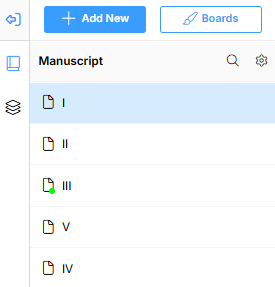
The left sidebar is divided into two sections: Manuscript and Elements.
This view sections the chapters, sub-chapters, and outlines separately from the elements, making things easier to organize.
Here's a more in-depth look into our Manuscript and Elements section:
{% content-ref url="chapters-and-elements/manuscript-section" %}
[manuscript-section](https://guides.livingwriter.com/desktop-app-+-web-version/chapters-and-elements/manuscript-section)
{% endcontent-ref %}
{% content-ref url="chapters-and-elements/elements-section" %}
[elements-section](https://guides.livingwriter.com/desktop-app-+-web-version/chapters-and-elements/elements-section)
{% endcontent-ref %}