> For the complete documentation index, see [llms.txt](https://guides.livingwriter.com/llms.txt). Markdown versions of documentation pages are available by appending `.md` to page URLs; this page is available as [Markdown](https://guides.livingwriter.com/desktop-app-+-web-version/boards/planning-board.md).
# Planning Board
The Planning Board is a versatile and intuitive organizational tool designed to help you easily structure your plot. Whether you prefer a standard grid view for a more structured approach or a freeform grid for a flexible layout, both options provide a powerful way to manage your story’s key elements.
This versatile board provides you with two powerful tools for organizing your work: the **Standard Grid** and the **Freeform Grid**. The **Standard Grid** offers a structured approach that is perfect for maintaining a clear, methodical layout of your story elements. In contrast, the **Freeform Grid** allows for greater flexibility, enabling you to arrange and connect ideas in a way that best suits your creative process.
Beyond these core tools, you also have the ability to import Boards from other manuscripts, seamlessly integrating previous work into your current project. Additionally, you can create entirely new boards, giving you the freedom to tailor each project to your unique storytelling needs.
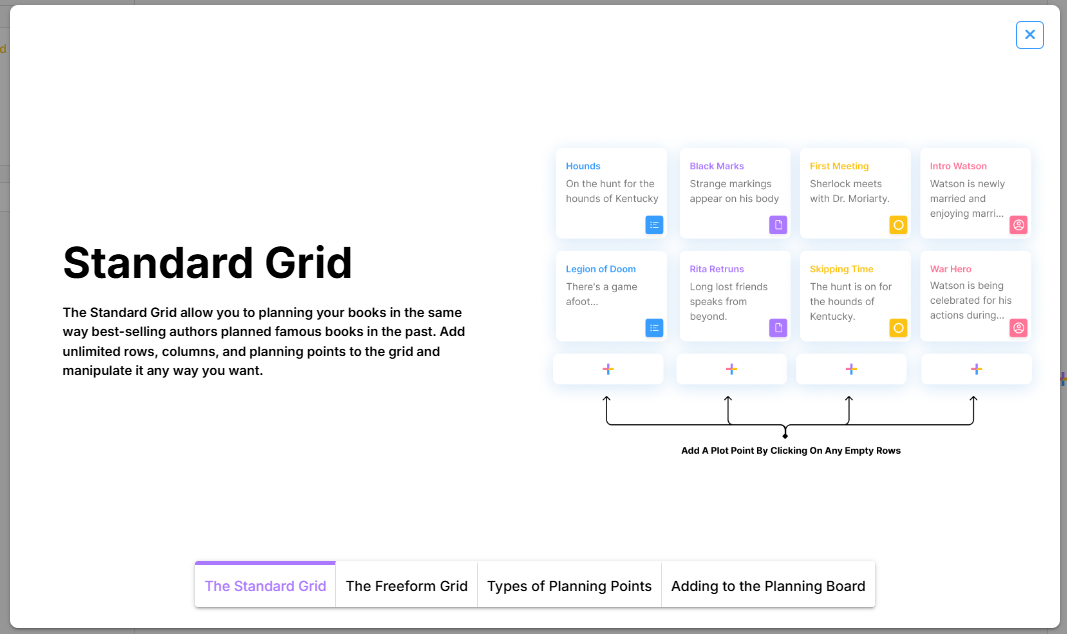
When opening the Planning Board for the first time, you will be presented with a quick slideshow and summary of how the board works:
Don't worry! In this guide, we'll offer you a more in-depth step-by-step explanation of each part of this particular Board. In the links below, you can access individual guides dedicated to each section of this Board:
{% content-ref url="/pages/5uw4zRgVYZHoFj2AUXwe" %}
[Standard Grid](/desktop-app-+-web-version/boards/planning-board/standard-grid.md)
{% endcontent-ref %}
{% content-ref url="/pages/0PHiZ1TMSxwm87fclDlo" %}
[Freeform Grid](/desktop-app-+-web-version/boards/planning-board/freeform-grid.md)
{% endcontent-ref %}
{% content-ref url="/pages/PAKLVEZbIgvwvF1r1MTj" %}
[Creating a New Board](/desktop-app-+-web-version/boards/planning-board/creating-a-new-board.md)
{% endcontent-ref %}
{% content-ref url="/pages/Fwc3VlcUmQs7BzxOp6hX" %}
[Importing a Board](/desktop-app-+-web-version/boards/planning-board/importing-a-board.md)
{% endcontent-ref %}
---
# Agent Instructions
This documentation is published with GitBook. GitBook is the documentation platform designed so that both humans and AI agents can read, navigate, and reason over technical content effectively. Learn more at gitbook.com.
## Querying This Documentation
If you need additional information that is not directly available in this page, you can query the documentation by asking a question.
Perform an HTTP GET request on the following URL with the `ask` and `goal` query parameters:
```
GET https://guides.livingwriter.com/desktop-app-+-web-version/boards/planning-board.md?ask=&goal=
```
`ask` is the immediate question: it should be specific, self-contained, and written in natural language.
`goal` is what the user is ultimately trying to achieve, the reason they need the answer. Sharing it helps GitBook give you a better, more relevant answer. A goal is most helpful when it describes the outcome the user wants rather than restating the question. For example, with `ask=how do I create an API token`, a goal like `automate deployments from our CI pipeline` lets GitBook tailor the answer to that use case.
The response will contain a direct answer to the question and relevant excerpts and sources from the documentation.
Use this mechanism when the answer is not explicitly present in the current page, you need clarification or additional context, or you want to retrieve related documentation sections.